
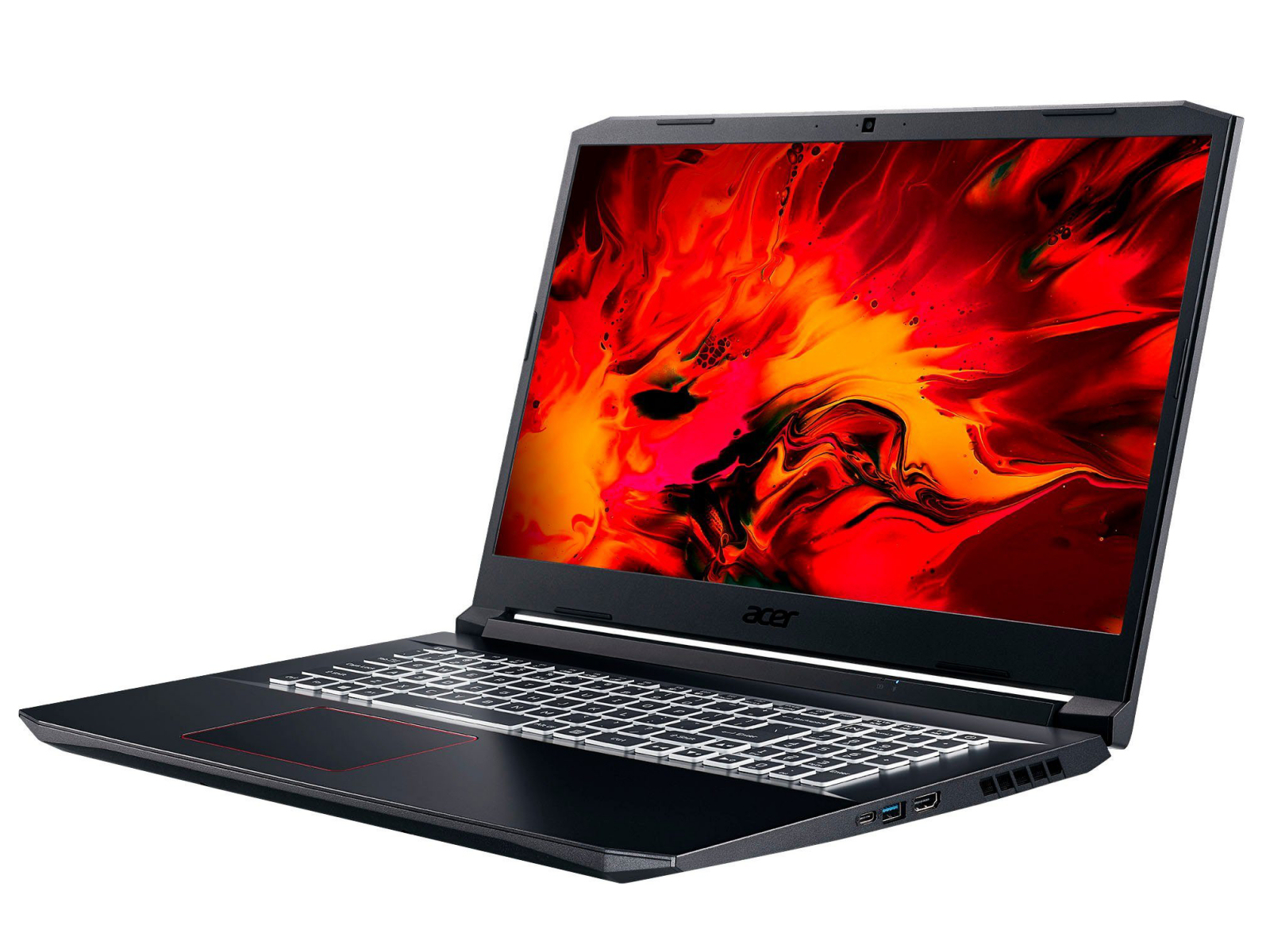
The Acer Nitro 5 series is made of inexpensive, entry-level and mid-range gaming laptops. The devices are positioned below Acer’s Predator series. With the Nitro 5 AN517-52-77DS, we have the current 17.3-inch top-of-the-line model of the Nitro 5 series at hand. Competitors include devices like the Asus TUF A17 FA706IU, the Schenker XMG Pro 17 PB71RD-G, the Lenovo Legion Y540-17IRH and the HP Pavilion Gaming 17.
Case
The case of the Nitro 5 is made completely of black plastic. Two red elements (area between the rear air vents, ring around the touchpad) provide color accents. Acer has relied almost entirely on smooth surfaces. Only the left and right sides of the lid’s back contain a brushed metal imitation. The laptop doesn’t offer a maintenance hatch. The battery is firmly built into the device.
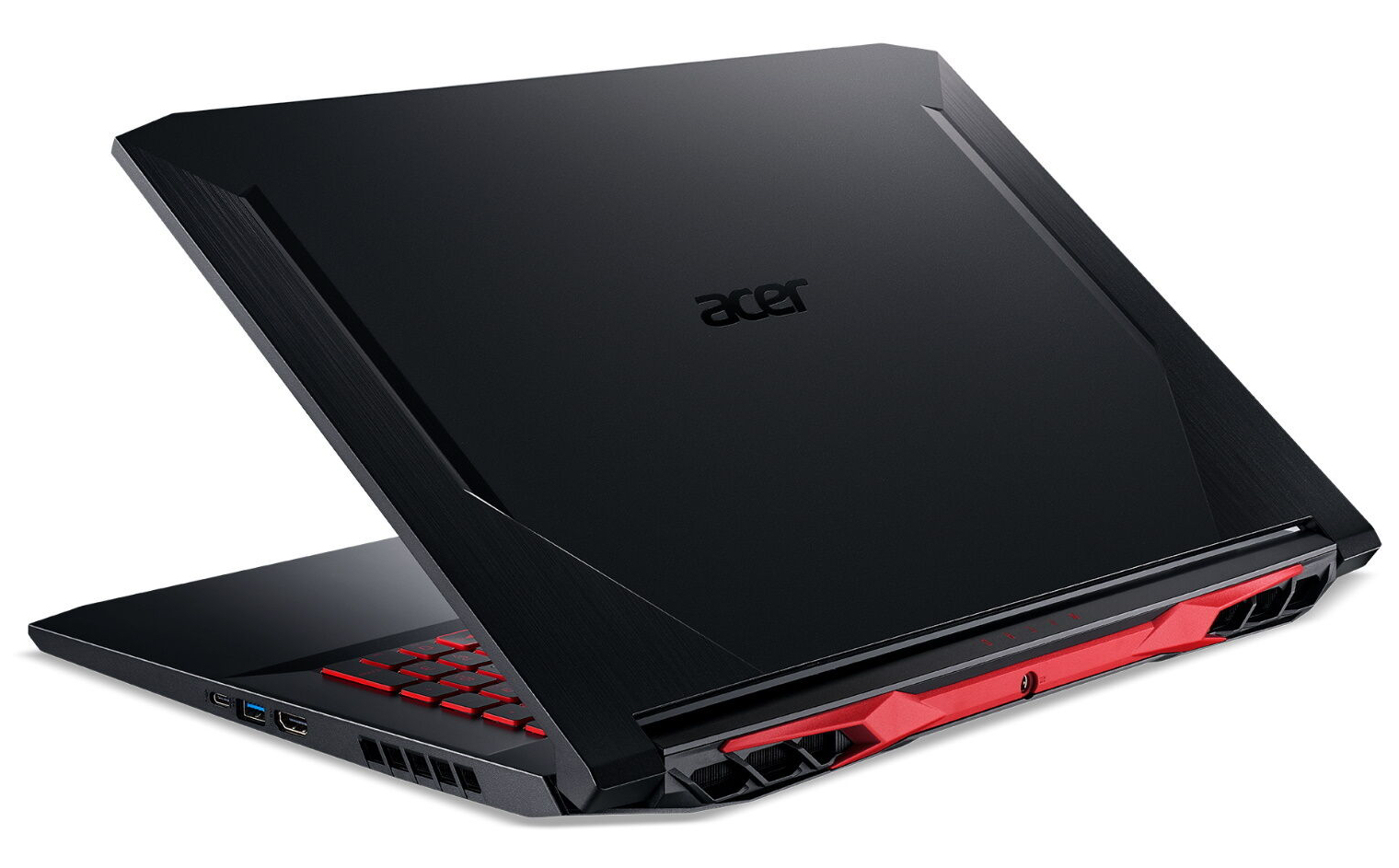
The Nitro 5 shows a good workmanship. Material protrusions aren’t noticeable, and the gap dimensions are correct too. On the other hand, there is room for improvement in terms of stability. In this way, the base unit and the lid in particular should have a greater rigidity. Exerting pressure on the back of the lid doesn’t lead to changes on the display’s content. The hinges hold the lid firmly in position. Furthermore, opening the lid with one hand is possible.
The Acer laptop can’t deny its relation to the predecessor model. The basic shape as well as the width and depth have remained largely the same. However, the new model is a bit thinner and weighs approximately 600 grams less. At a weight of about 2.2 kg, it also undercuts its competitors.
Connectivity
The Acer computer provides a limited amount of connections. The laptop has three USB Type-A ports (USB 3.2 Gen 1) to offer. The USB Type-C port supports the USB 3.2 Gen 2 standard. Moreover, DisplayPort via USB-C is not supported. As a result, there’s only one video output with the HDMI connection. There is no memory card reader. The ports are located in the middle section of the right and left sides. Therefore, the areas next to the palm rest will remain free of cables.
Communication
The built-in WLAN chip (Intel Wi-Fi 6 AX201) supports the fast ax standard. The transfer speeds obtained under optimal conditions (no other WLAN devices nearby, short distance between laptop and server PC) are very good. A Killer E2600 Gigabit Ethernet controller handles wired network connections and does its job smoothly.
Warranty
Acer honors the 17.3-inch model with a two-year warranty – including pick-up service. A three-year warranty costs almost 100 Euros (~$113).
Input devices – AN517 with RGB keyboard
Keyboard
Acer’s gaming laptop comes with a backlit (RGB) chiclet keyboard, which has main keys (letters and number row) that feature a slightly concave curvature. The remaining keys (function keys, number pad) are evenly designed. All keys offer a medium travel and a clear pressure point. The resistance provided by the keys is okay. The keyboard yields a bit during typing, but this didn’t prove to be disturbing. Overall, Acer delivers a keyboard suitable for everyday use here.
Touchpad
The multi-touch capable ClickPad takes up an area of approximately 10.6× 7.8 cm. Therefore, a lot of space is available for using gesture controls. The smooth surface of the pad makes it easy for the fingers to glide on it. It also reacts to input in the corners. The pad has a short travel and a clear pressure point.
Display – Acer laptop comes with a dim, low-contrast panel
The Nitro AN517’s 17.3-inch display operates at a native resolution of 1920×1080 pixels. The brightness (246.4 cd/m²) and contrast (560:1) are not convincing. The display of a 1,500-Euro (~$1,697) laptop should offer more in this regard. We consider values beyond 300 cd/m² and 1000:1, respectively, to be good. Positive: The display shows no PWM flickering.
Although this is a 120 Hz panel, the response times only turned out to be mediocre. The 120 Hz display in the Asus TUF A17 delivers somewhat better response times.
Processor
The laptop has a Core i7-10750H hexa-core processor (Comet Lake) on board, which runs at a base speed of 2.6 GHz. The clock rate can be increased to up to 5 GHz (one core) via Turbo Boost. If all six cores are fully loaded, the maximum is 4.3 GHz.
The CPU briefly processes the Cinebench R15 benchmark’s multithread test at 4.2 GHz. The clock rate then drops to 3.7 to 3.9 GHz. The single-thread test is completed at 4.2 to 4.7 GHz. On battery power, the operating speeds are 2.6 GHz (multithread) and 2.2 to 2.9 GHz (single-thread), respectively.
We verify if the CPU Turbo is also consistently used when plugged in by running the Cinebench R15 benchmark’s multithread test in a continuous loop for at least 30 minutes. The results slightly drop from the first to the third run and then stabilize at a quite constant level. Turbo is used.
System performance
Acer’s 17.3-incher does not lack computing power. A strong hexa-core processor, RAM running in dual-channel mode and a fast NVMe SSD ensure a fast and smooth system. An upper-class GPU is added to this. The results in the PCMark benchmarks are very good.
Storage
An NVMe SSD (M.2 2280) from Western Digital is used as system drive. It provides 1 TB of storage space and delivers good transfer speeds.
The laptop offers additional space for a second M.2 2280 SSD (NVMe) as well as a 2.5-inch storage device (the SATA slot and screws are in the box; the installation frame is found inside the laptop).
Graphics card
The GeForce RTX 2060 graphics core (Turing) belongs to the GPU upper class. It supports DirectX 12 and runs at a base speed of 1,005 MHz. An increase to up to 1,350 MHz is possible when boosted. Higher speeds are feasible if the GPU doesn’t reach a defined temperature and/or energy threshold. In this way, we register a maximum of 1,960 MHz. Our The Witcher 3 test is run at an average speed of 1,354 MHz. The GPU has access to fast GDDR6 video memory (6,144 MB).
The results in the various 3DMark benchmarks are at a normal level for the GPU installed here. The Intel UHD Graphics 630 GPU that’s integrated into the processor is active, and the laptop works with Nvidia’s Optimus graphics-switching solution.
Battery life
Acer’s gaming powerhouse achieves a runtime of 6:36 h in our practical WLAN test (accessing websites using a script; energy profile: Balanced). The 17.3-incher completes our video test (energy profile: Energy-saving mode) after 7:19 h. We let the Big Buck Bunny short film (H.264 encoding, 1920×1080 pixels) run in a continuous loop. The energy-saving functions are disabled during both tests, and the display brightness is regulated to about 150 cd/m². To perform the video test, the radio modules are also turned off.
 Adi Techno World