
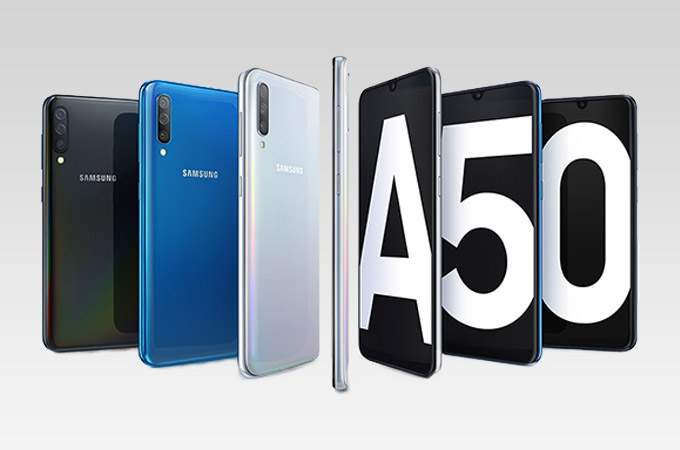
Today, we’re reviewing the new top-of-the-line Samsung Galaxy A50. It promises quite a few features that could tempt buyers, including an in-display fingerprint sensor and three rear cameras, but at a higher price than any of the current M-series models.
Design
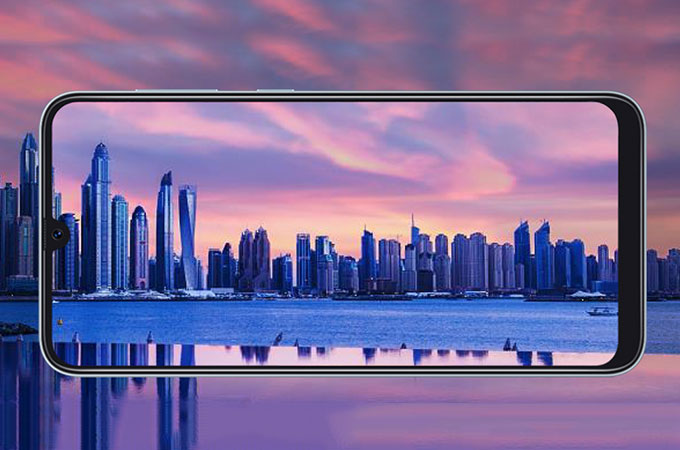
The main attraction of the Galaxy A50 is its 6.4-inch Super AMOLED screen. This is the same size and panel type used on the Galaxy A30 and the recently launched Galaxy M30. All three models also have the same scoop-shaped Infinity-U notch. Samsung has done well to try and trim the borders around the screen, and the rounded corners and 91.6 percent screen-to-body ratio are very in keeping with current trends. There is still a noticeable chin, but the look is pretty slick overall for a relatively low-cost phone – the Galaxy A50 makes even the very recently released Galaxy A9 look old-school.
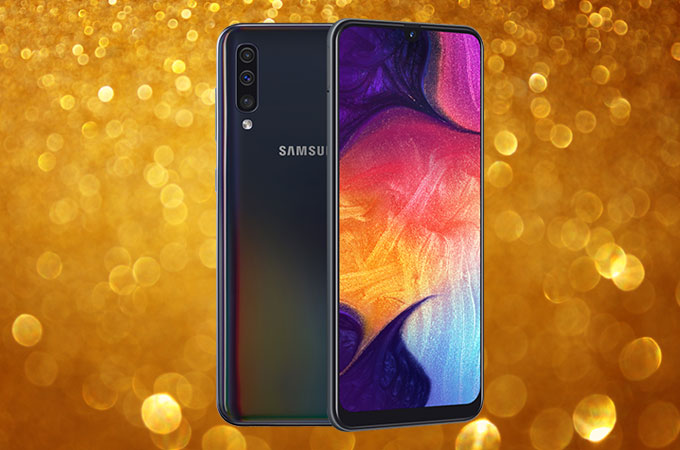
Samsung has not stated exactly what material the rear of this phone is made of, but it feels like plastic or polycarbonate. The panel curves slightly to meet the metal rim and there are no sharp edges anywhere. There are three colour options – black, white, and blue. A coral pink version shown off at MWC 2019 has not been launched in India, at least not yet.
The rear panel of our black review unit was more like a translucent grey with an irredescent quality to it that makes light refract into rainbow patterns. You’ll see this especially at the edges of the phone when you move it around under strong light. Unfortunately the surface is very glossy and so it gets completely smudged pretty much the moment you touch it. After using our review unit very carefully with its bundled plastic case for a few days, we still noticed a few tiny little scratches.
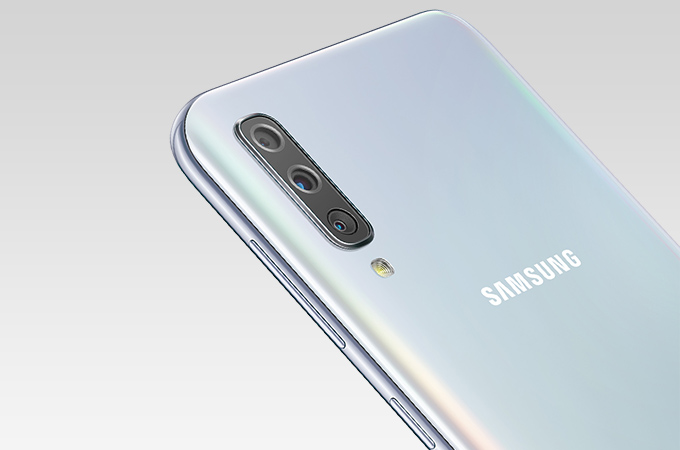
The vertically stacked triple camera module in the upper left corner sticks out just a little bit. This is one design touch that has carried over from previous models, most notably the Galaxy A7. There’s an LED flash right below the cameras, and if you look very closely you’ll see a faint Samsung logo and some regulatory text on the rear of the Galaxy A50 as well.
The power and volume buttons on the right are reasonably within reach, and there’s a USB Type-C port as well as a 3.5mm headphones socket and a speaker grille on the bottom. The dual-SIM tray with its dedicated microSD card slot is on the upper left. Some buyers will be disappointed that there’s no room for a notification LED on the front of this phone but the Super AMOLED panel supports an always-on mode so you can still check notifications and alerts at a glance. By default, you have to tap the screen lightly to show this information but you can enable a true always-on mode from within the Settings app.
As far as comfort goes, the Galaxy A50 is quite easy to use and doesn’t feel too heavy or thick at all. It fits nicely in one hand and isn’t slippery. Reaching all corners of the screen with one thumb is a bit of a stretch, but it wasn’t uncomfortable for us. We think anyone who buys this phone will be happy with how it looks and feels.
The Galaxy M10 and M20 were criticised by some of our readers for their bare-bones retail packages, and Samsung seems to have heard them. The slightly more premium Galaxy A50’s retail box does include a headset and a plastic slip case in addition to a SIM eject pin, 15W charger, and USB Type-C cable.
Specifications and Features
It’s a little difficult to differentiate all the Galaxy M-series and A-series models and variants. The Galaxy A50 has a 6.4-inch full-HD+ 1080×2340-pixel Super AMOLED panel which is shared with some of its siblings, as we’ve pointed out, but its octa-core Samsung Exynos 9610 SoC is a cut above the Exynos 7904 that the others use.
This chip has four ARM Cortex-A73 and four Cortex A-53 CPU cores running at up to 2.3GHz and 1.6GHz respectively, to balance processing power and battery efficiency, along with a modern ARM Mali-G72 MP3 GPU. Samsung touts this SoC’s image signal processor and support for deep learning algorithms to power features like single-camera depth sensing and face recognition.
There are two variants of the Galaxy A50, and the only difference between them is RAM. You can choose between 4GB and 6GB, but storage is the same at 64GB between the two, at least for the options launched in India as of now. This is a bit of a surprise, especially considering that the less expensive Galaxy M30 has a 128 GB option.
Incidentally, 128GB comes in option when the Galaxy A50 was first unveiled at MWC 2019, so other countries might still get better specs. The 4000mAh battery is smaller than the 5000mAh unit that the Galaxy M30 has. These factors might confuse buyers a bit. You also get Bluetooth, Wi-Fi, FM radio, LTE and VoLTE on both SIMs, and the usual sensors.
It’s very interesting that while the Galaxy M-series ships with Android 8.1 and Samsung’s older Experience UI skin, the very similar Galaxy A50 runs Android 9 with the new One UI. This is good news, since users won’t have to wait an unknown amount of time to get a major update. During our review period, we received an update to the February 2019 Android security patch.
One UI is generally an improvement in terms of design, and it does look quite modern. Samsung says it has focused on usability on phones with large screens, but what that means is it has reduced information density throughout and made text and icons everywhere enormous, with loads of padding between elements.
Some things, such as the quick settings panel, are now oversized so that icons are closer to the bottom of the screen where your thumbs are likely to be. It takes a bit of time to get used to. In some instances, it can feel as though screen space is being wasted, but on the other hand there are super useful touches like the Back button in the Settings app coming down within reach as you scroll rather than being anchored to the top-left corner of the screen.
We found that we were happier increasing the density of the icon grids for the home screens and the app drawer and reducing the default text size. You can disable the app drawer and also choose whether to open it with a swipe or by tapping an icon. An optional swipe downwards anywhere on the home screen can pull down the notifications shade. There are several customisation options within various sub-menus of the Settings app that are well worth digging to find.
Night Mode is a dark theme, not the usual blue light filter (which is also still there). You can have it on all the time, schedule it, or sync it to sunrise and sunset for each day. You can reorder the Android navigation buttons or hide them and use swipe gestures instead (though Android 9’s swipeable Home button isn’t an option). FaceWidgets are useful lock screen modules for things like music controls, a calendar schedule overview, and the weather, and they’ll stay visible on the always-on screen if you choose.
Some of Samsung’s wallpapers appear to have been designed deliberately to cover up the camera notch at the top. Samsung’s Themes app is one of a few that ask for permission before sending you spammy notifications. There are loads of free and paid themes that you can download.
There are a few handy gestures including one that captures a screenshot if you swipe inwards from either side of the screen using the edge of your palm. You can have message alerts show up as bubbles, and tapping them will open the respective app in a floating window so you can see the whole thread while typing a response.
Google’s Digital Wellbeing featurei inain Android 9 so you can see detailed app usage statistics, have the Galaxy A50 prompt you when it’s time to wind down for the night, and impose time constraints on individual apps to help yourself focus. The Bixby assistant can bet set to trigger with a long-press of the power button, should you choose to use it. There’s also Samsung Pay mini for UPI money transactions.
Shortly after getting started with our device we were tricked into tapping a notification asking us to complete the setup process. This turned out to be from a background app called IronSource which sneakily installed six spammy and unnecessary apps – these were Calculator, myTuner Radio and Flashlight (the phone already has these functions), HotSpotShield VPN, ShareChat, and Candy Crush Saga. Needless to say, even the dead-simple Flashlight app showed multiple ads including full-screen interstitials blocking the one toggle button on screen – its sole function. This is a continuing disappointment.
Performance, Battery life, and Cameras
Samsung is heavily promoting the Galaxy A50’s Super AMOLED screen and it really is crisp, bright and vibrant. Blacks are deep and colours really pop, but without being oversaturated. Everything looks great, right from the UI to videos and games. The always-on display feature is nice to have, and you can set up a schedule so it doesn’t annoy you at night.
As for sound quality, this phone’s single speaker can get very loud but isn’t very clear. Music and voices are grating at high volumes, and while you can use it for the occasional video clip, don’t expect to enjoy a full movie. The included headset isn’t very comfortable, and the large Y-splitter dangled just below our right ear, leaving the long wire to the left earbud bunching up around our chin. Sound isn’t too bad, but highs are a bit shrill and there’s barely any bass. The open design lets a lot of background noise in and broadcasts whatever you’re listening to for people around you to hear.
The in-display fingerprint sensor will be a big draw for a lot of people, but it does have its downsides. Recognition is fairly slow, and it often took two seconds or more for the phone to unlock itself, which is just enough to be mildly irritating. You can actually unlock the phone with even when it’s in standby, but it will take trial and error to learn exactly where to place your finger. A single tap will light up the spot you need to hit, which might actually save you some time. We didn’t have trouble with accuracy but recognition can fail if you don’t touch the sensor long enough.
There’s also face recognition, which can be a lot quicker. You can choose to activate the front camera as soon as you raise the phone. It’s more fluid and you don’t have to wait for visual confirmation that it has worked.
General day-to-day usage was fine, with no hiccups or slowdowns. Our review unit was the version with 4GB of RAM and were were happy, but you might want to spend the Rs. 3,000 more for the 6GB RAM variant if think you’ll hang on to this phone for many years. There were ads in some Samsung apps and spammy notifications to deal with, but beyond that, our time using the Galaxy A50 was pleasant. We played PUBG Mobile and Asphalt 9: Legends at their high settings and weren’t disappointed.
The Exynos 9610 processor isn’t setting any records but it’s competent for this price level. AnTuTu gave us a score of 145,408 and Geekbench’s single-core and multi-score test results were 1,719 and 5,586 respectively. 3DMark’s Sling Shot Extreme score was 1,269, and we also got 37fps and 22fps in GFXBench’s T-rex and Manhattan tests respectively.
Battery life can easily stretch to a day and a half with normal use. We took lots of photos and videos, streamed a movie, played a few games, and surfed the Web throughout the day. We started in the morning, and had about 30 percent left at night. Our HD video loop test ran for 14 hours, 59 minutes which is quite good. The included charger took us up from zero to 11 percent in about 10 minutes, and 30 percent in 30 minutes.
The Samsung Galaxy A50 does boast of a lot of photography features, staring with the triple-camera module on the rear. The primary camera has a 25-megapixel sensor and f/1.7 aperture; the secondary camera is for wide shots and has an 8-megapixel sensor with a 123-degree field of view and f/2.2 aperture; and the third one is a standard 5-megapixel depth sensor. The single front-facing camera has a 25-megpixel sensor and f/2.0 aperture.
Samsung also touts a Live Focus mode for portraits, a 480fps 720p slow-motion video mode, Hyper-Lapse mode for timelapse videos, AR emojis, and intelligent scene optimisation. The Pro mode is disappointing with only metering, ISO, white balance, and exposure compensation controls. You can switch between the standard and wide-angle cameras before you begin shooting videos, but not while recording.
Verdict
Unfortunately for Samsung, the Galaxy A50 with its starting price of Rs. 19,990 competes with Xiaomi’s Poco F1 which features the top-end Qualcomm Snapdragon 845 processor. That’s obviously the better choice of phone if you’re a gamer or want the smoothest possible experience, but it doesn’t have three rear cameras or a modern all-screen design.
Another big competitor to the Samsung Galaxy A50 will be the company’s own Galaxy M30, which has the same screen and a larger battery, but a weaker processor, standard fingerprint sensor, and a less flashy rear panel. If you aren’t too fussed about camera quality, the Galaxy M30 starts for Rs. 5,000 less.
 Adi Techno World